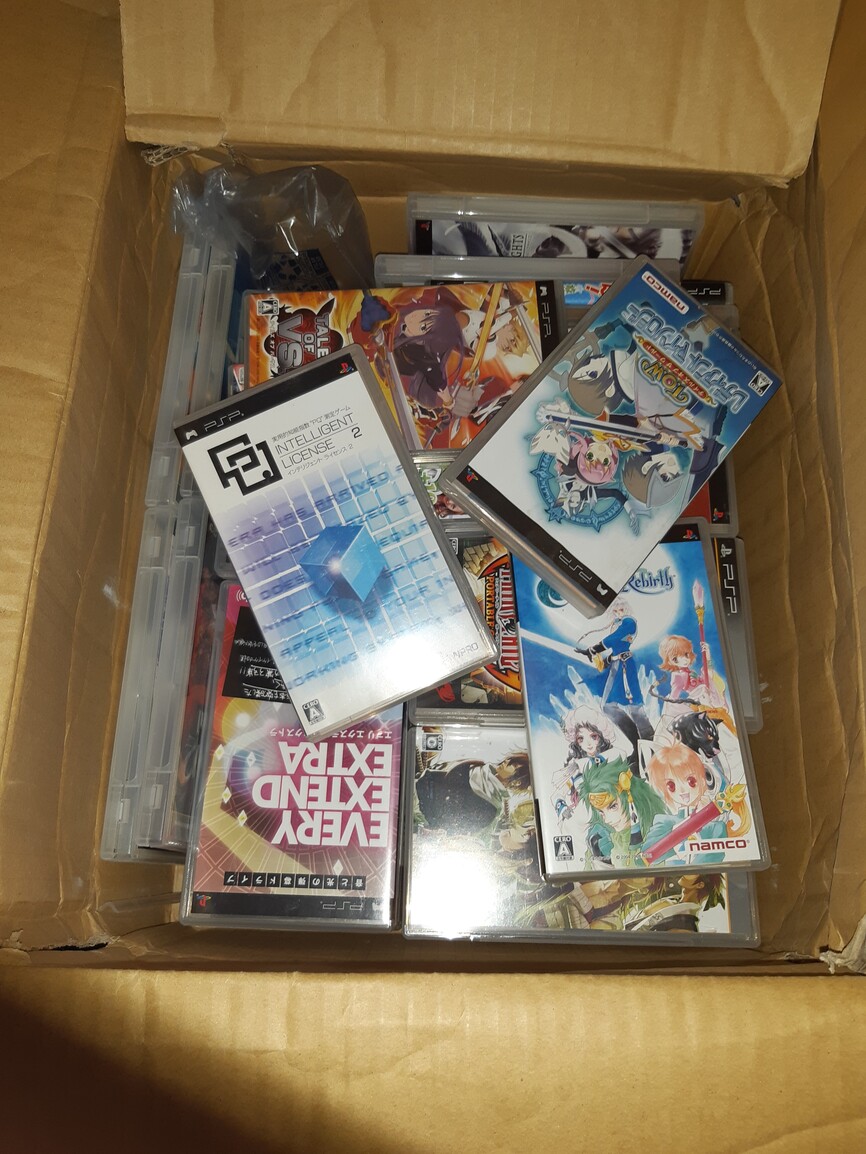
Got some upgrades for my psp and vita
256gb for vita and 32gb for psp


I really should get this for Vita. But it involved CFW, right? I can’t handle that …
It’s pretty easy nowadays, you can hack any version all the way up to 3.73, and it’s a really easy process.
Once you’ve got it set up, you can use the built in downloader called PKGj to grab any game from the PS store.
I would totally recommend it. The possibilities as a really good gaming system on its own are great, but once you try out out for emulation, the Vita really becomes something special.
74gb free on a 64gb card?  lol
lol
Nice looking PSP!
It’s one of those dual slot adapters so it’s actually 64gb card and 16gb card.

I slapped 128 GB into my 3000 recently. Crazy how fast it fills up, I’m down to about 30 now lol
Ha, ha, oh wow! Man dat space though!
Did you do the replacement screen?
I’m considering it. The ghosting and uneven backlight is really annoying.
No, I decided against modifying my 1000, as I bought it new and it’s in perfect condition. I replaced the UMD drive at some point a few years back, but that’s it.
I have a 3000, Go, and a Vita that I can use instead of the 1000.
Fair enough.
I only have the PSP 1000 and I’m not sure I use it enough to warrant the replacement screen.
There are 500 nit and 1000 nit versions at the link above, apparently the 500 nit one is only a minor improvement in brightness. But my main issues are: ghosting, dead pixels, uneven edge lighting.
Will give it some thought.
Depending on overall cost it might be worth hunting down a 3000 model instead - still has a great screen by modern standards and the OS lets you choose between the colour gamut of the original 1000 display and the wider gamut of the 3000.
So yesterday my PSP just randomly powered on by itself and then shut off. I guess the battery died (I was dumb and had a game running in sleep mode for a day or 2 I think). Charging it, I see the charging light, and then it tries powering on a few times and then immediately shuts off. I did get it to charge enough to get the system to power on properly, but I’m suspecting the battery died. It was a cheap Amazon battery that I bought. I bought those Insten batteries people were recommending on the internet, so I’ll see how those work.
Realized I didn’t post this: I got a 2nd PSP 3000
Condition is really nice, I peeled off that screen protector and the dust in the photo went away, then put a new matte one on.
Other recent PSP gets: a 2nd PSPgo dock a few weeks ago, I just ordered a 2nd PSPgo (an immaculate condition black one) which I intend to use for PSP games and let my white one be just for PS1 games, and I customized a Namco PS stick with a SIXAXIS padhack so that it would work with a PSPgo:
Mod details please!
Very nice. How is the screen calibration compared with your first? My European 3000 has a pretty balanced screen (probably close to 6500k), but my Japanese 3000’s screen was extremely warm with a yellow white point which was pretty jarring to switch to.
It’s a bit yellowy and the edges appear to be a bit off color/shade as well, most noticable on the gray home screen.
@matt let me preface this by saving having done this, I don’t recommend doing it. It was a lot more work than the stick mods I’ve done before. But it is also the only non-SIXAXIS / non-DualShock3 I have been able to connect to a PSPgo and I’m ultimately really satisfied with the result…
But I’m not really proud of how it looks inside so no photos!
The namco stick required the following:
For the padhack, I bought a poor condition SIXAXIS because I had read the SIXAXIS was a lot easier to padhack than the DualShock 3 but I suspect this is only true if you can somehow get your hands on a no-longer-in-production Toodles AXISdapter which provides simple connection to screw terminals. Otherwise the SIXAXIS modification is outlined by Slagcoin:
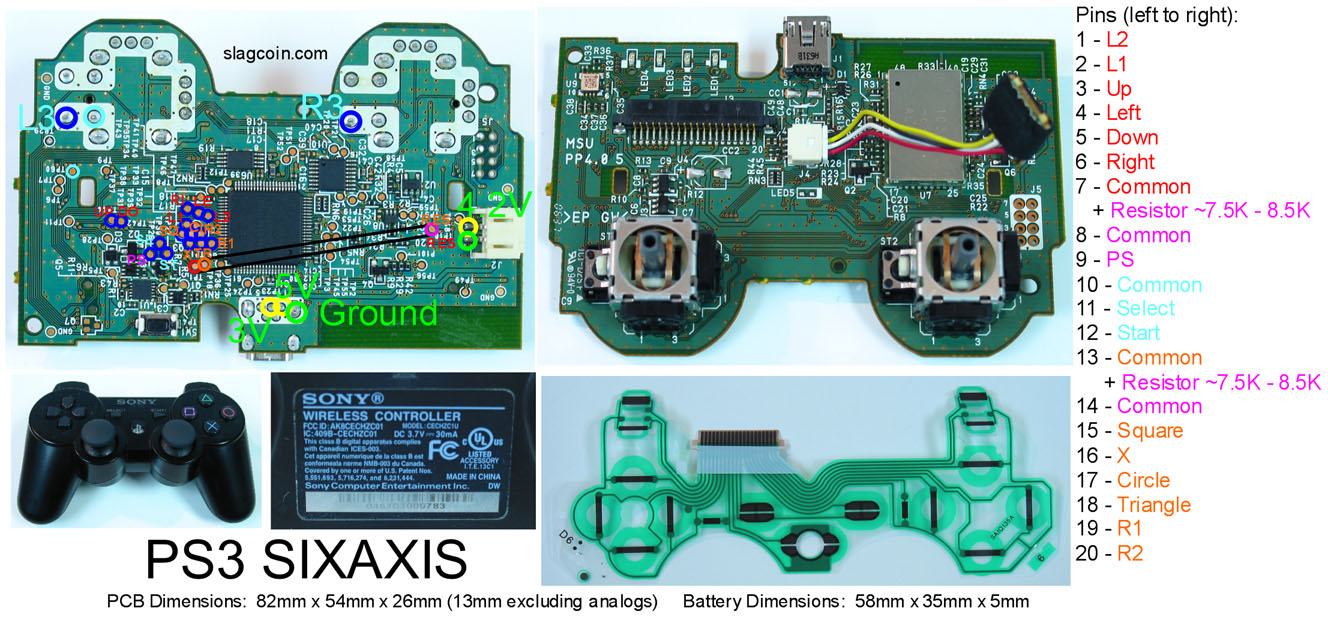
The problem is my SIXAXIS pcb didn’t match the above and was not documented anywhere. So I was left connecting to the ribbon cable connector which was relatively straightforward (documented on the right in the jpg above) but required very fine pitch soldering of 20 wires, for which I ended up desoldering the existing connector to make easier.
I mentioned above but the SIXAXIS also has 4 separate grounds, partially connected by resistors. This configuration must match exactly or things don’t work properly, so you need to be careful with how you wire grounds to buttons.
Once that was all worked out it was just a matter of connecting wires to buttons and the stick.
Also because the Namco Stick is very small inside it was pretty tough finding a mounting point, so it’s kinda just plonked in there diagonally near the front with a mix of blue-tack and hot glue holding it in place.
Finally I included a larger capacity PS3 battery to replace the 15 year old original.
Anyway it works, and it’s really nice having a stick available for PS1-on-PSP as well as PSP play on a TV. And of course it’s also a wireless stick that works with anything compatible with the PS3 controller standard, including Brook adapters.
(yes I capitalized every instance of SIXAXIS to match Sony’s ridiculous 2006 branding)
Thanks! Good info.
Thanks for this. I’ve been considering replacing the spring in mine, but wasn’t sure what would fit.
—-
Super late edit
@poptart
I finally got around to actually buying and installing this. A really great upgrade! It’s cheap and pretty simple to do too. The E-clip was kind of a pita, but they can be that way lol.